Free software
Toolbox: the small office jobs, sorted
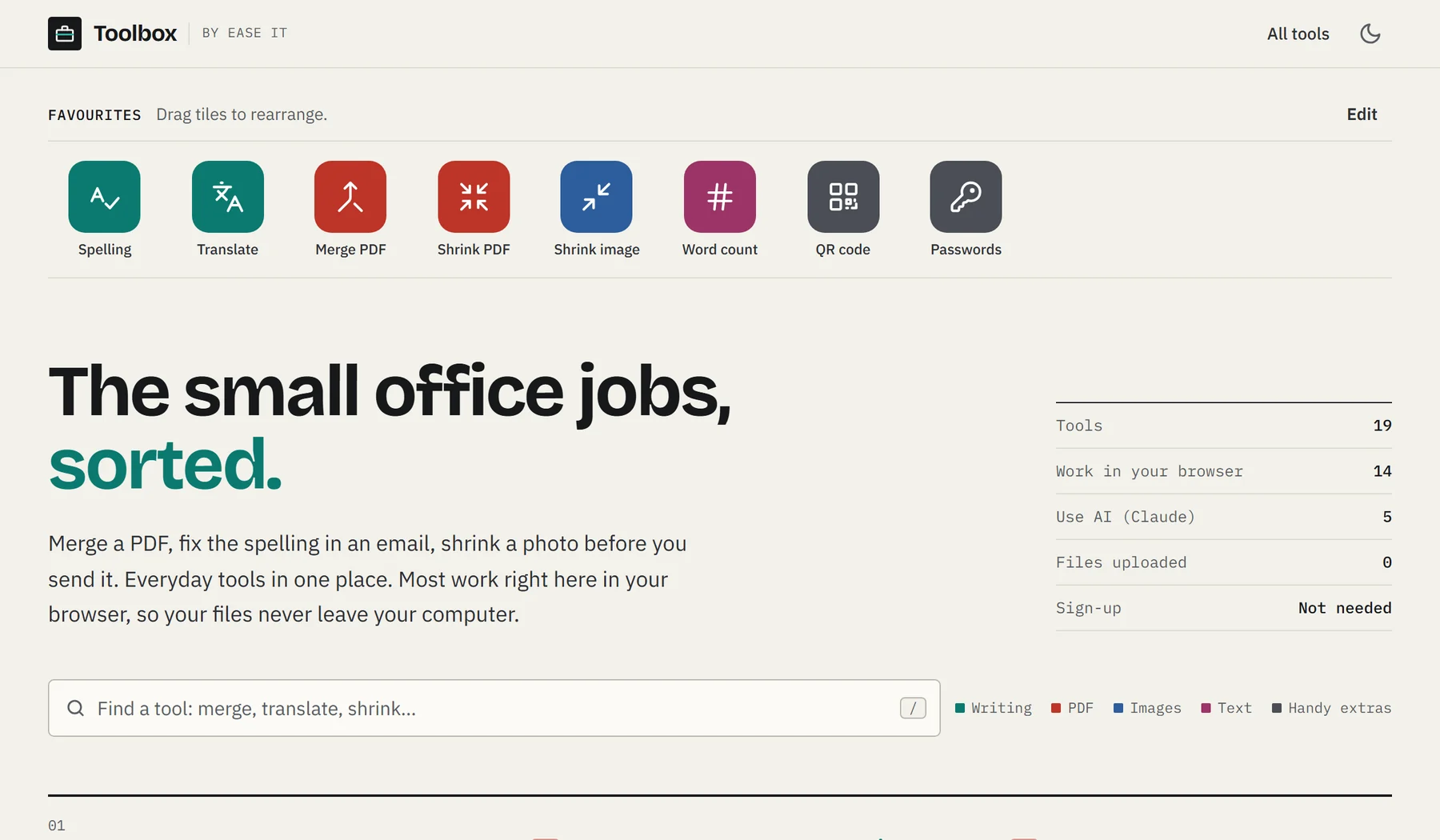
Coming soonFix the spelling in an email, merge a PDF, shrink a photo before you send it. 19 everyday tools in one place, free to use, from the team that builds Hourbook and Rotaline.
- everyday tools
- 19
- everyday tools
- sections
- 5
- sections
- work in your browser
- 14
- work in your browser
- free to use
- £0
- free to use
Nothing to install
Open it in your web browser on a computer, tablet or phone. No downloads and no sign-up.
Your files stay with you
The PDF, image, text and extras tools run on your own device. Your files are never uploaded.
AI only where it helps
The writing tools use Claude, an AI from Anthropic, to check and rewrite text. Your text is processed, not stored.
01 · Writing
Uses AI (Claude)For emails, letters and posts that need to read well
Paste in what you've written and get it checked, translated, rewritten or summed up in seconds. Good for a quick check before you press send, or when a customer writes in another language.
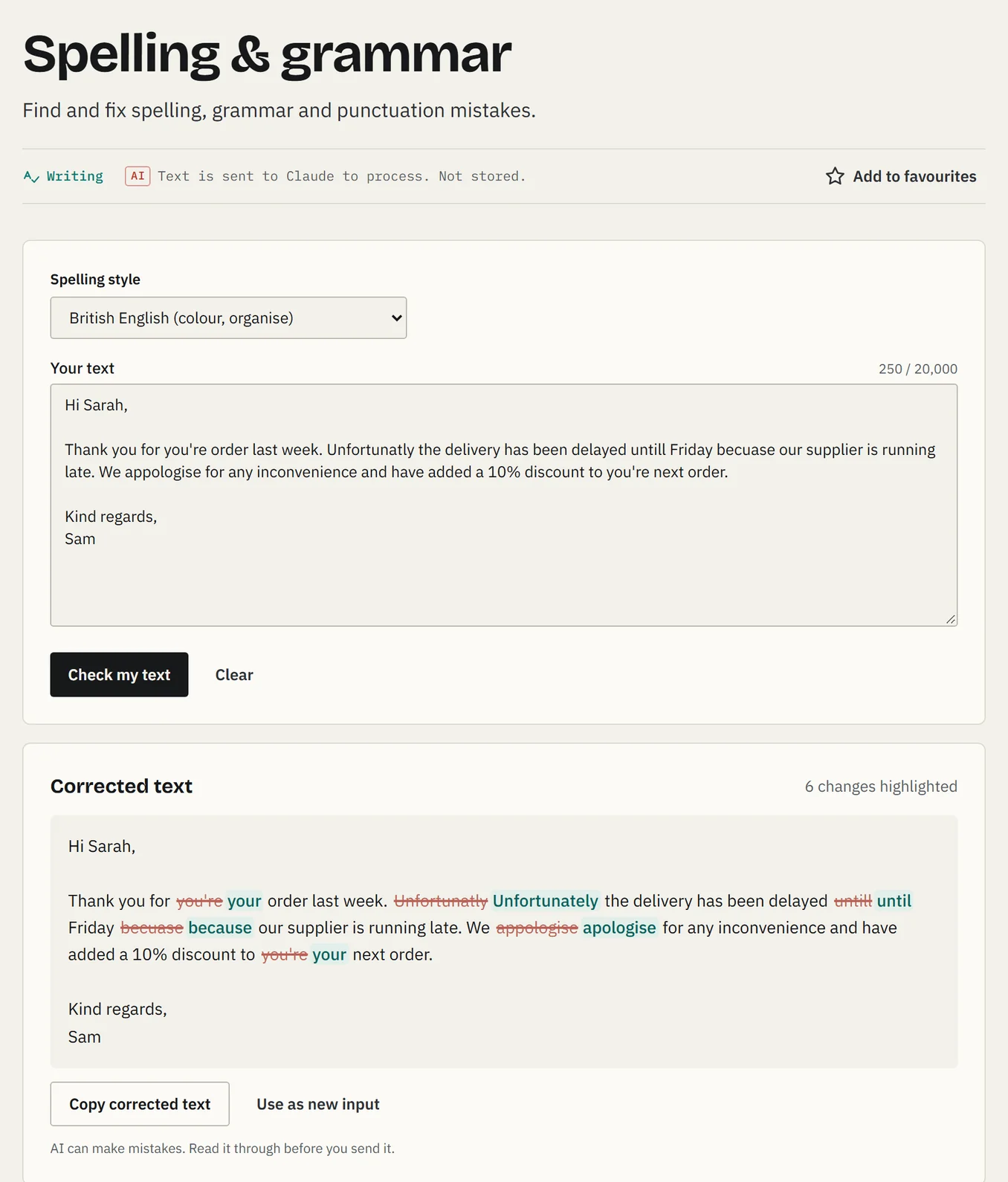
On the screen
- 1
British or American. Choose which spelling it follows: colour or color.
- 2
Paste your text. An email, a letter or a social post, up to about 3,000 words.
- 3
See every fix. Mistakes are crossed out and corrections highlighted, so nothing changes without you seeing it.
- 4
Copy and send. Copy the corrected text straight back into your email.
All 5 writing tools
Spelling & grammar
Find and fix spelling, grammar and punctuation mistakes.
Translator
Translate between about 50 languages, or let it work out the language for you.
Rewrite & tone
Make text more formal, friendlier, shorter or clearer.
Summarise
Turn a long document or email into the key points.
Email writer
Turn a few notes into a ready-to-send business email.
02 · PDF
Runs in your browserFor invoices, forms, menus and scanned paperwork
Put PDFs together, take them apart, tidy up the pages and make them small enough to email. No PDF software to buy, and your documents never leave your computer.
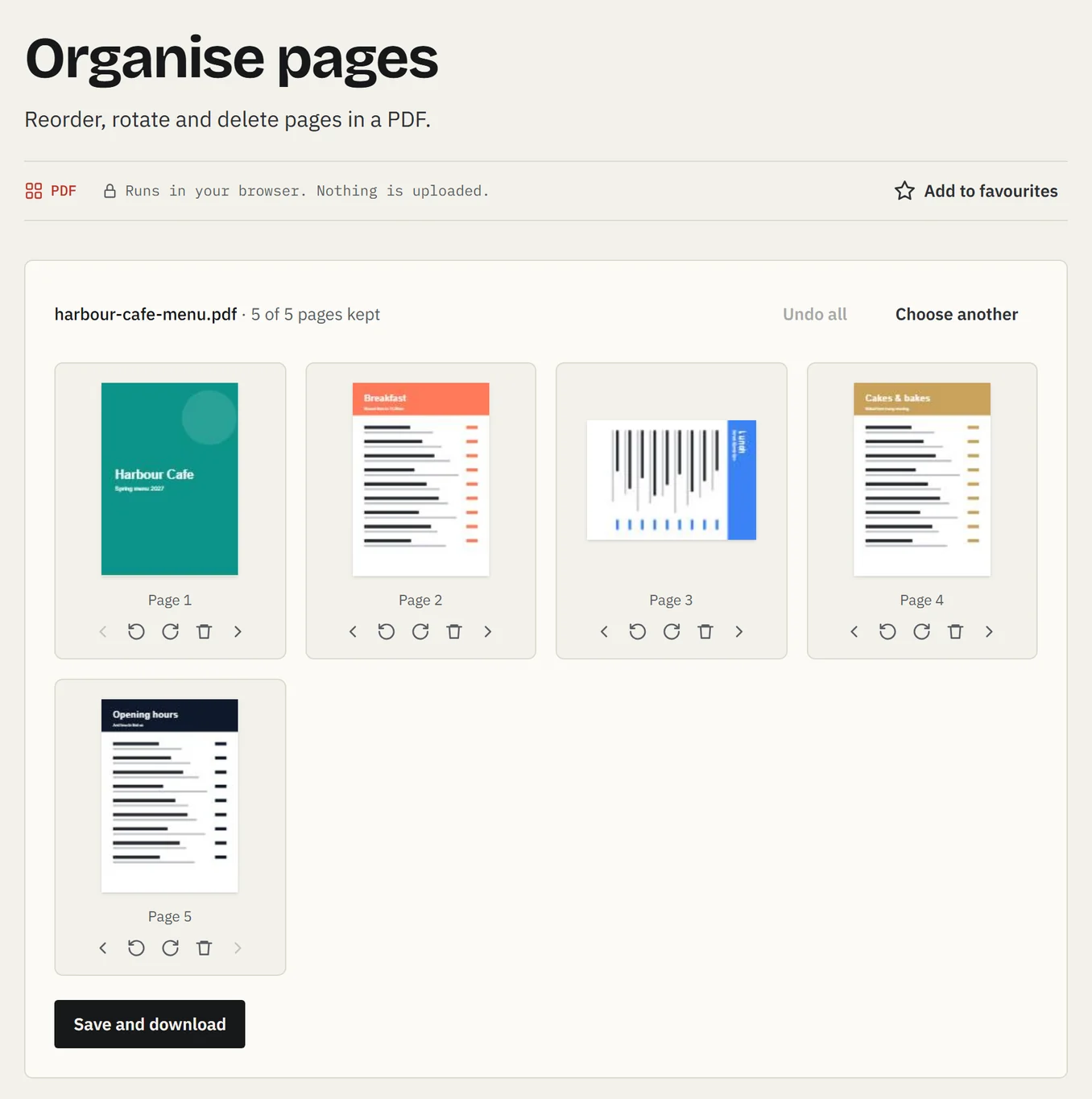
On the screen
- 1
See every page. Your PDF opens as a set of page previews.
- 2
Change the order. Move any page left or right.
- 3
Turn sideways pages. Rotate scans that came out the wrong way round.
- 4
Remove pages. Delete the ones you don't need, like a blank back page.
- 5
Save a new copy. Download the tidied PDF. Your original stays as it was.
All 6 PDF tools
Merge PDFs
Combine several PDFs into one file, in the order you choose.
Split PDF
Pull out pages, or split a PDF into separate files.
Organise pages
Reorder, rotate and delete pages in a PDF.
Compress PDF
Make a PDF smaller so it's easier to email.
Images to PDF
Turn photos and scans into a single PDF.
PDF to images
Save each page of a PDF as a JPG or PNG picture.
03 · Images
Runs in your browserFor photos that are too big to email or upload
Phone photos are often several megabytes each. Shrink them for your website, social media or an email in a couple of clicks, or change them to the format a form is asking for.
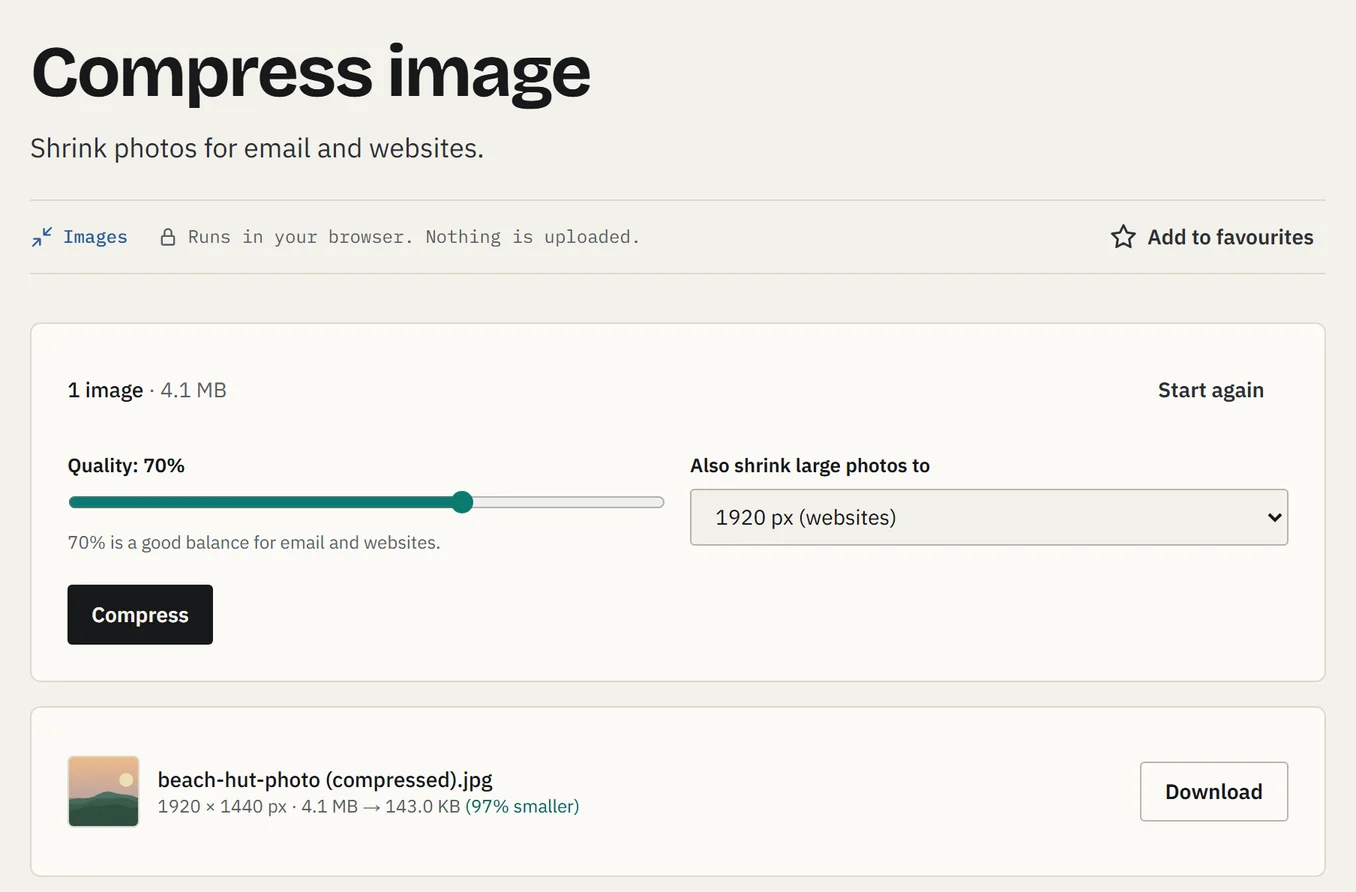
On the screen
- 1
Pick the quality. 70% looks the same on screen at a fraction of the size.
- 2
Shrink big photos. Scale huge phone photos down to a sensible size for websites or email.
- 3
Before and after. This 4.1 MB photo became 143 KB, 97% smaller.
- 4
Download. Save it straight away. Do lots at once and they come as one zip file.
All 3 image tools
Resize image
Change the width and height of pictures.
Compress image
Shrink photos for email and websites.
Convert image
Change pictures between JPG, PNG and WebP.
04 · Text
Runs in your browserFor word limits, adverts and text that's pasted in a mess
Check you're under a word limit, fix text typed with caps lock on, or tidy up the odd line breaks you get when you copy from a PDF.
On the screen
- 1
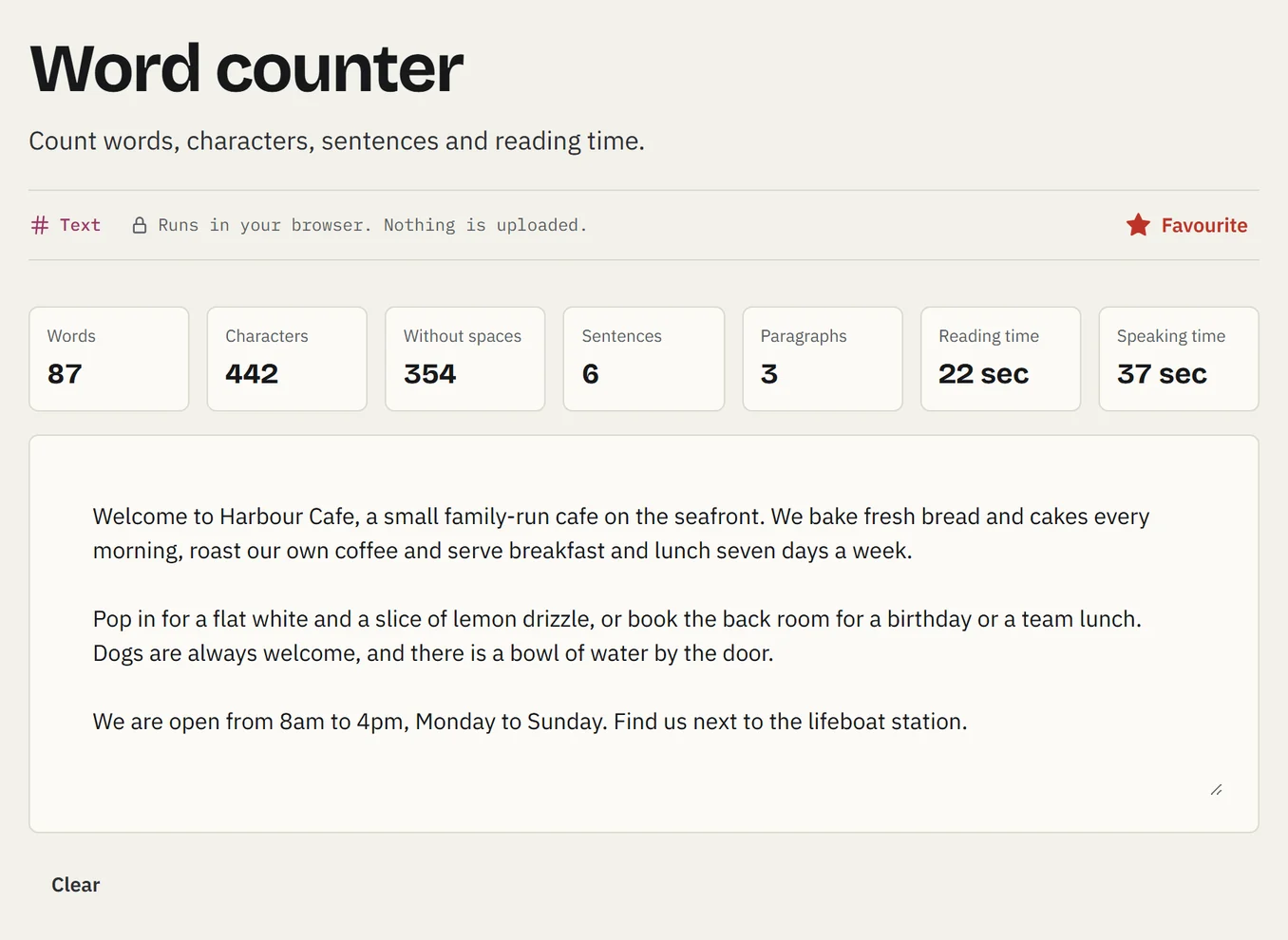
Live counts. Words, characters, sentences and paragraphs update as you type.
- 2
Reading and speaking time. Handy for blog posts, adverts and speeches.
- 3
Type or paste anything. It all happens on your screen. Nothing is sent anywhere.
All 3 text tools
Word counter
Count words, characters, sentences and reading time.
Case converter
Switch text to UPPER, lower, Title or Sentence case.
Clean up text
Remove extra spaces, line breaks and blank lines.
05 · Handy extras
Runs in your browserFor the counter, the window and keeping accounts safe
Make a QR code for your menu, reviews page or guest Wi-Fi, ready to print. And create strong passwords when you set up a new account.
On the screen
- 1
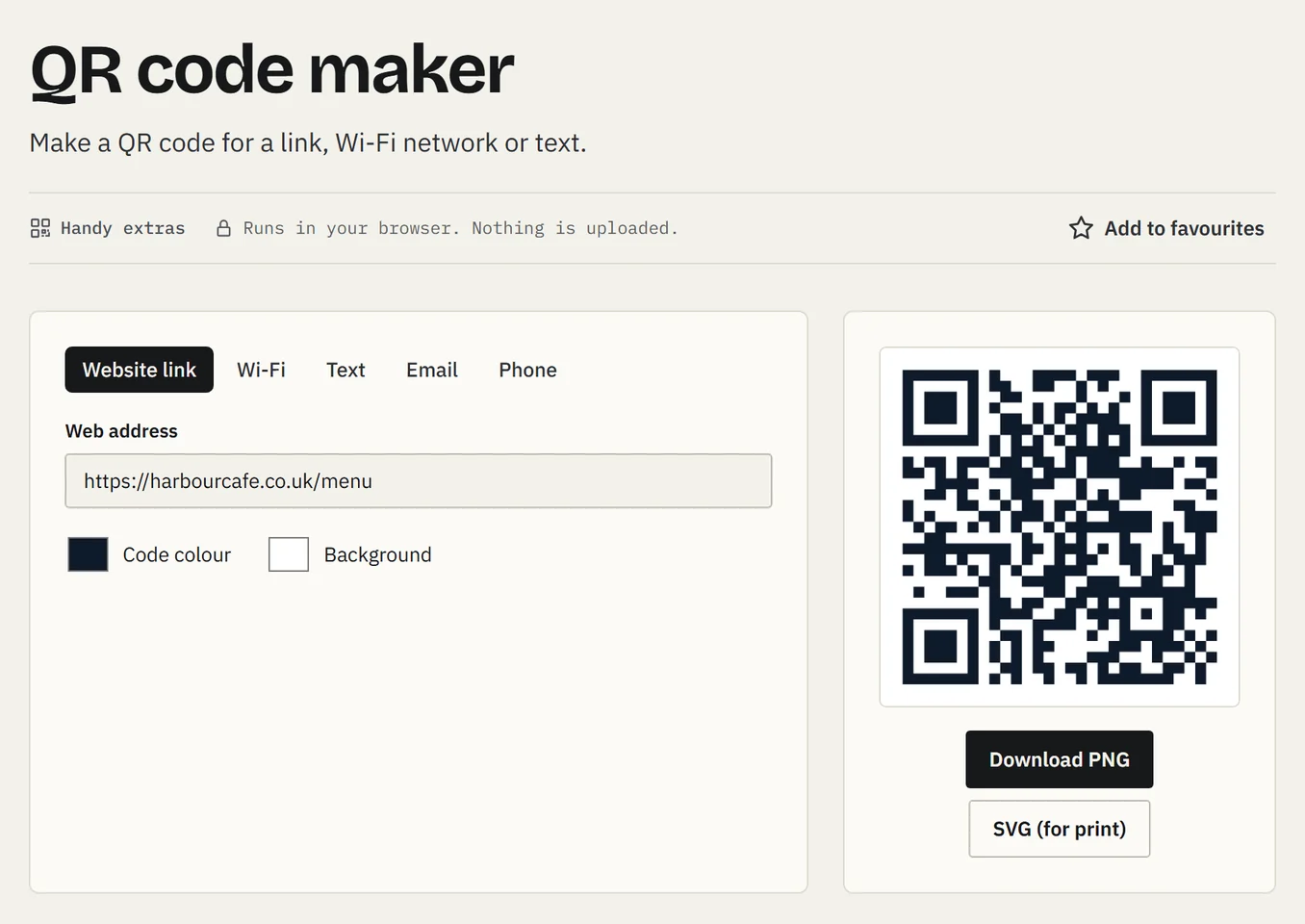
Pick what it's for. A website link, Wi-Fi details, some text, an email or a phone number.
- 2
Type your link. For example your menu, booking page or Google reviews.
- 3
Your colours. Match the code to your brand.
- 4
Ready instantly. The code updates as you type. Scan it with your phone to test it.
- 5
Download. PNG for screens and documents, SVG for sharp printing on posters and menus.
Both handy extras
QR code maker
Make a QR code for a link, Wi-Fi network or text.
Password generator
Create strong random passwords.
Want Toolbox on your website?
We can build it into your website for your team or your customers. Get in touch and we'll let you know as soon as it's ready.